1. الأمان والوصول
1. Auth & Security
شاشات تسجيل الدخول
Sign In Screens
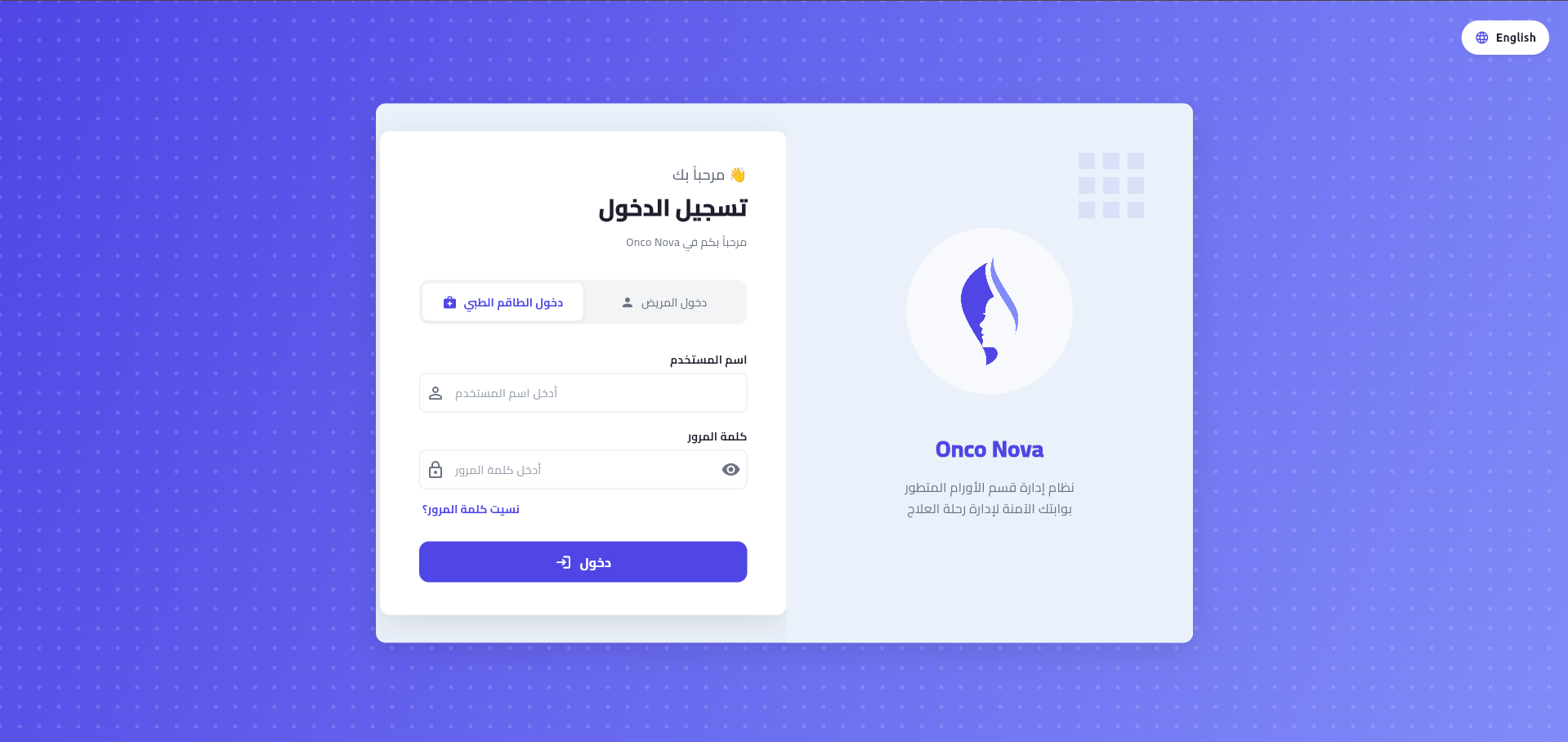
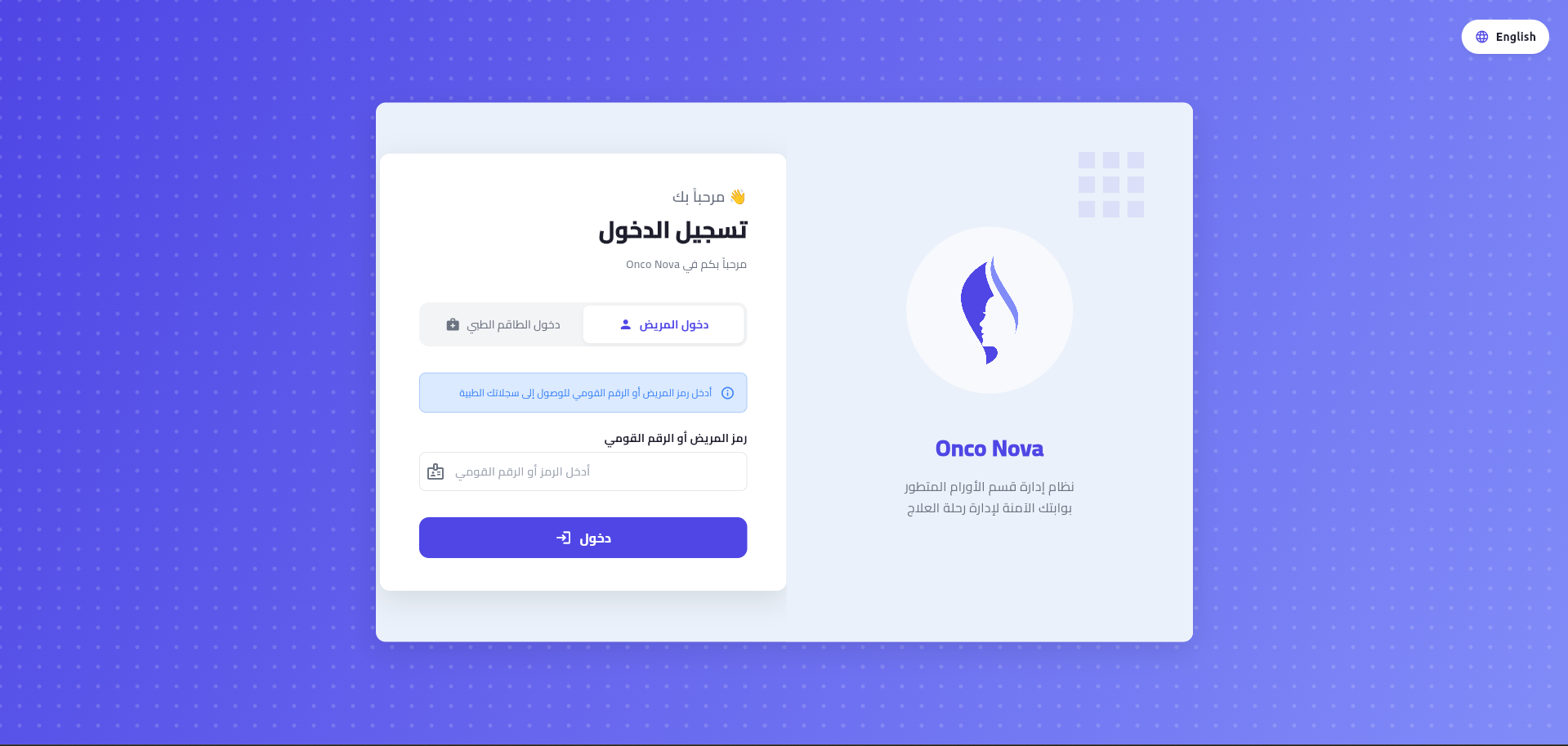
يدعم النظام واجهتين منفصلتين تماماً؛ واحدة للطاقم الطبي (الطبيب، الاستقبال) والأخرى للمرضى، لضمان أعلى مستويات الأمان.
The system supports two separate interfaces; one for medical staff (Doctor, Receptionist) and another for patients to ensure the highest security levels.
استعادة كلمة المرور (تفصيلي)
Password Recovery (Detailed)
عملية استعادة كلمة المرور تتم عبر ثلاث خطوات بسيطة ومؤمنة تماماً تبدأ بطلب رمز التحقق و تنتهي بتعيين كلمة مرور جديدة.
Password recovery is done through three simple and fully secured steps, starting with a verification code request and ending with setting a new password.
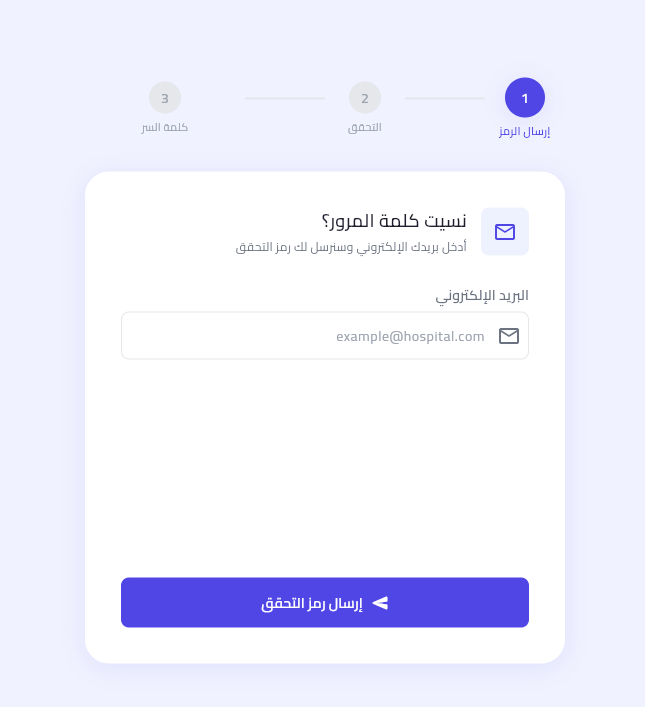
مرحلة 1: طلب الرمز
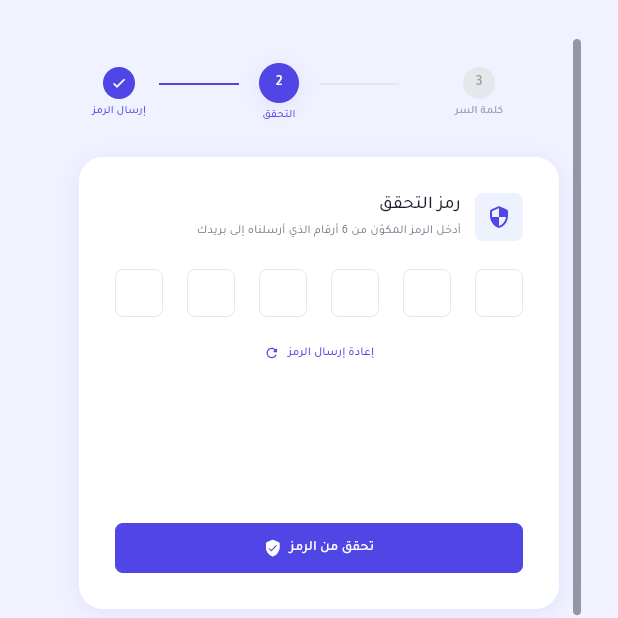
مرحلة 2: التحقق
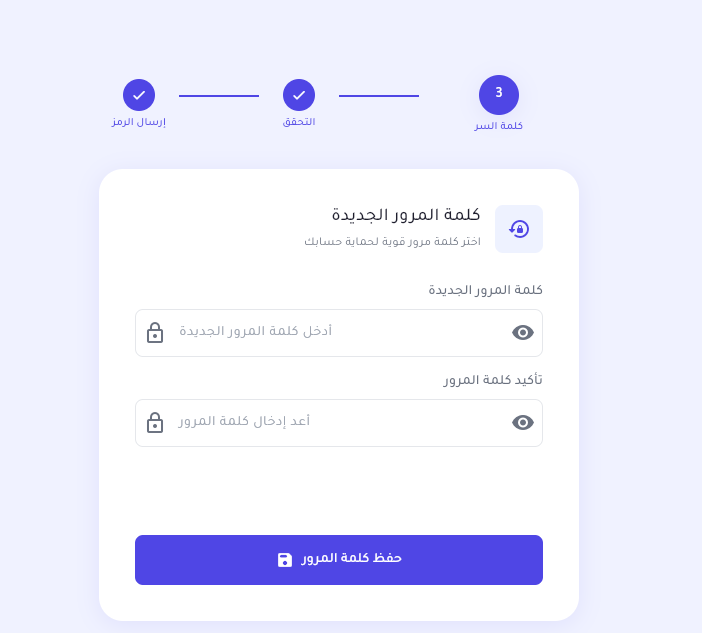
مرحلة 3: كلمة المرور الجديدة
2. لوحة التحكم (الدكتور)
2. Doctor Dashboard
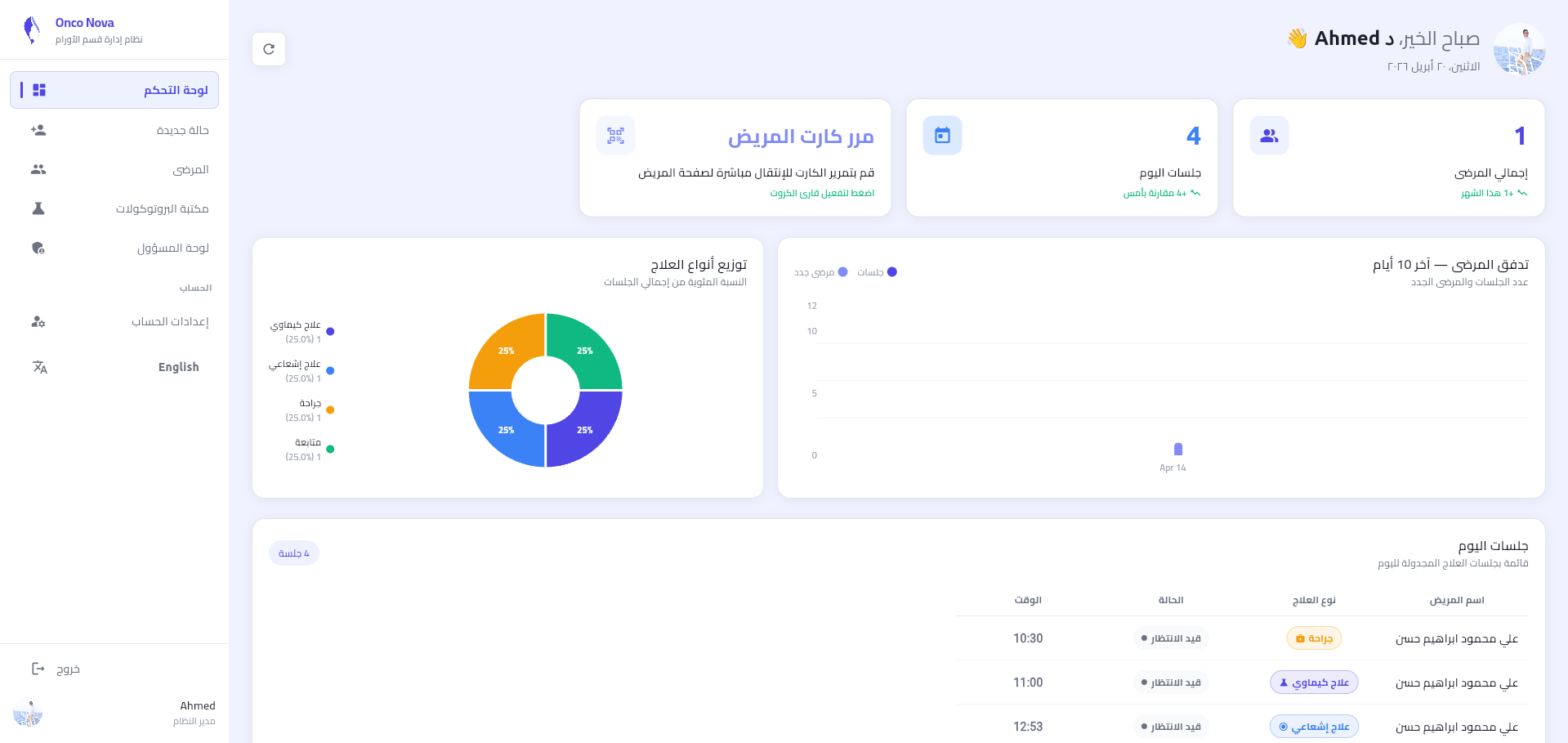
توفر لوحة التحكم عرضاً شاملاً لإحصائيات اليوم، السجلات الطبية الأخيرة، والمواعيد المجدولة. تم تصميمها لتقليل وقت البحث عن المهام.
The dashboard provides a comprehensive view of daily stats, recent medical records, and scheduled appointments. Designed to minimize task search time.
3. إدارة الحالات و RFID
3. Case Management & RFID
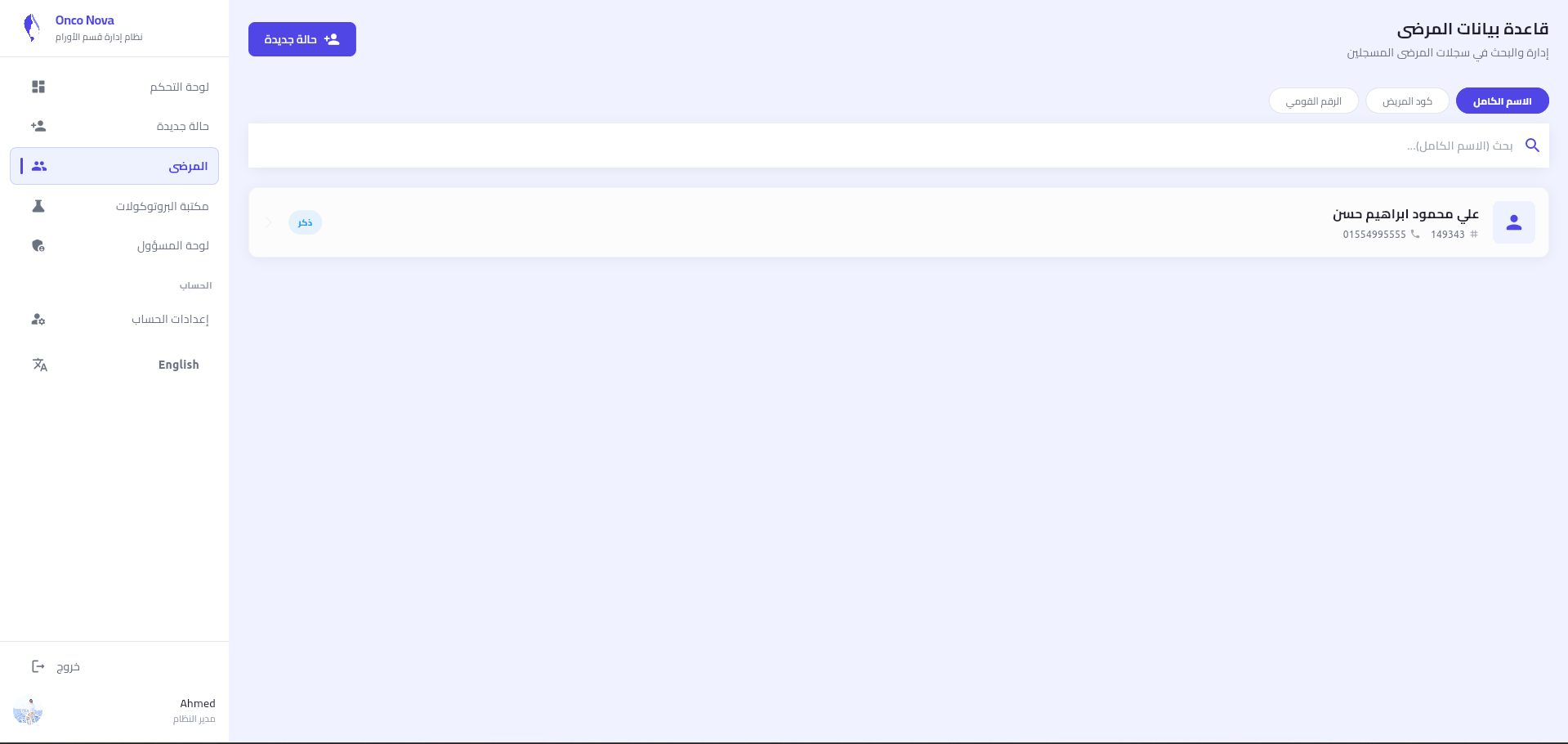
قائمة المرضى الشاملة
Comprehensive Patient List
تسجيل حالة جديدة (3 مراحل)
New Case Registration
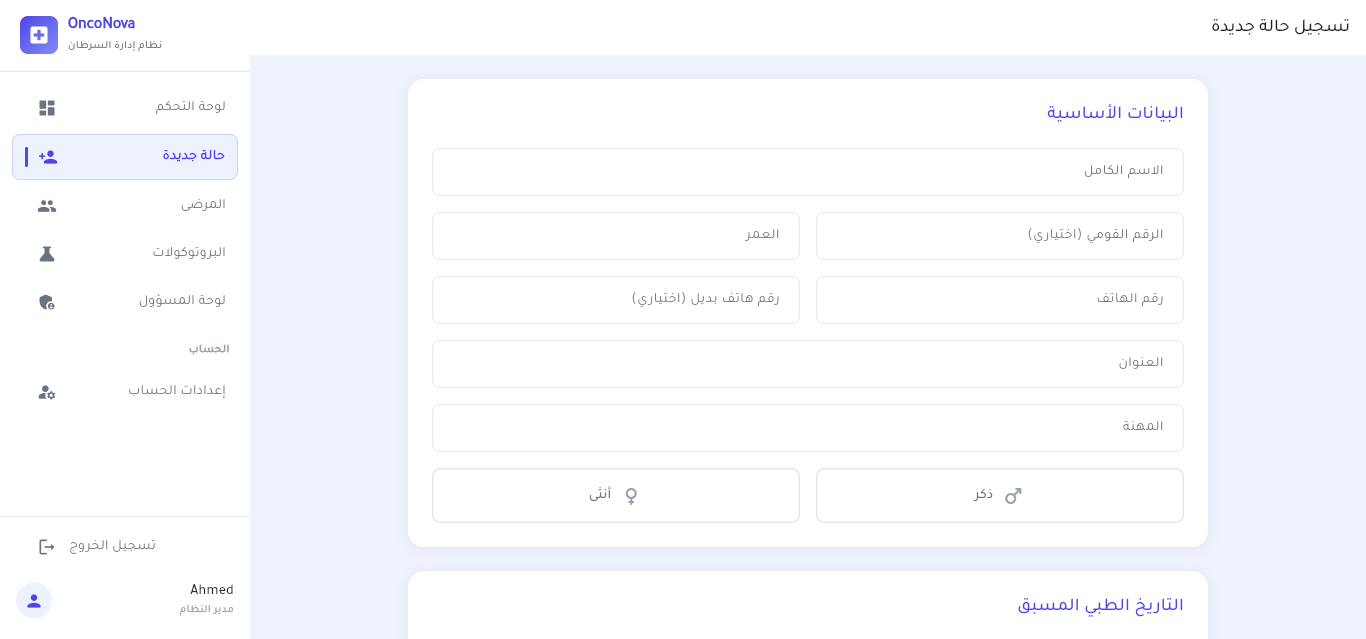
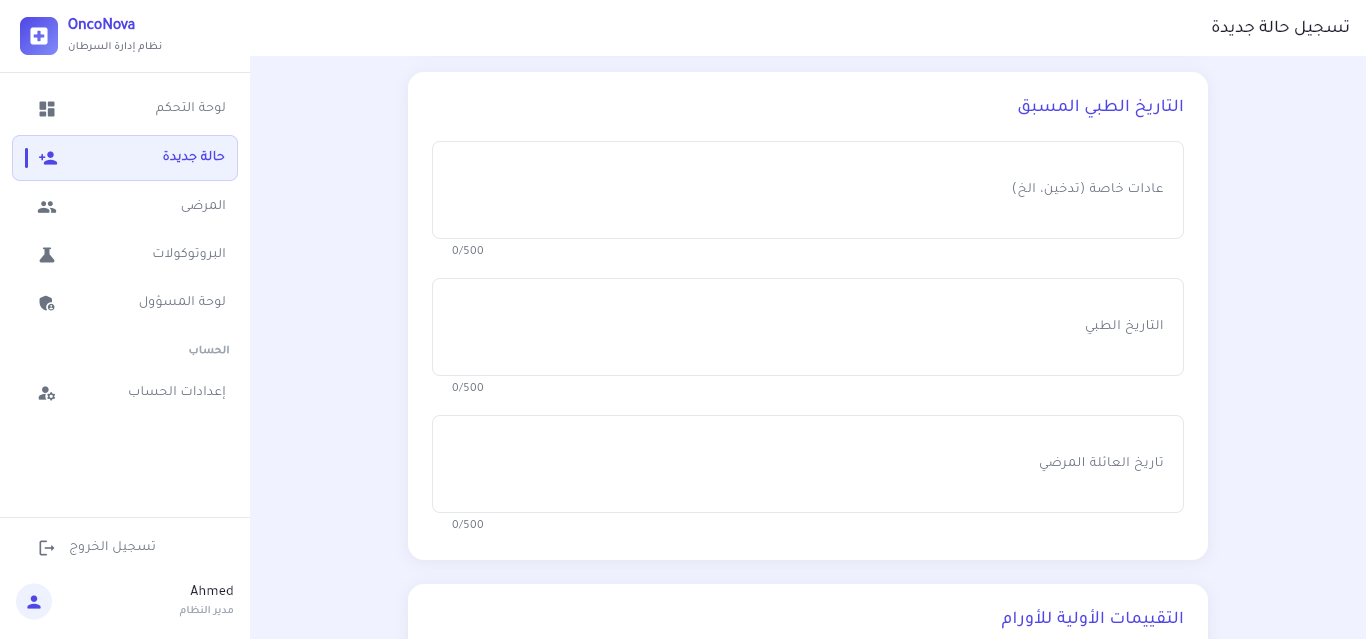
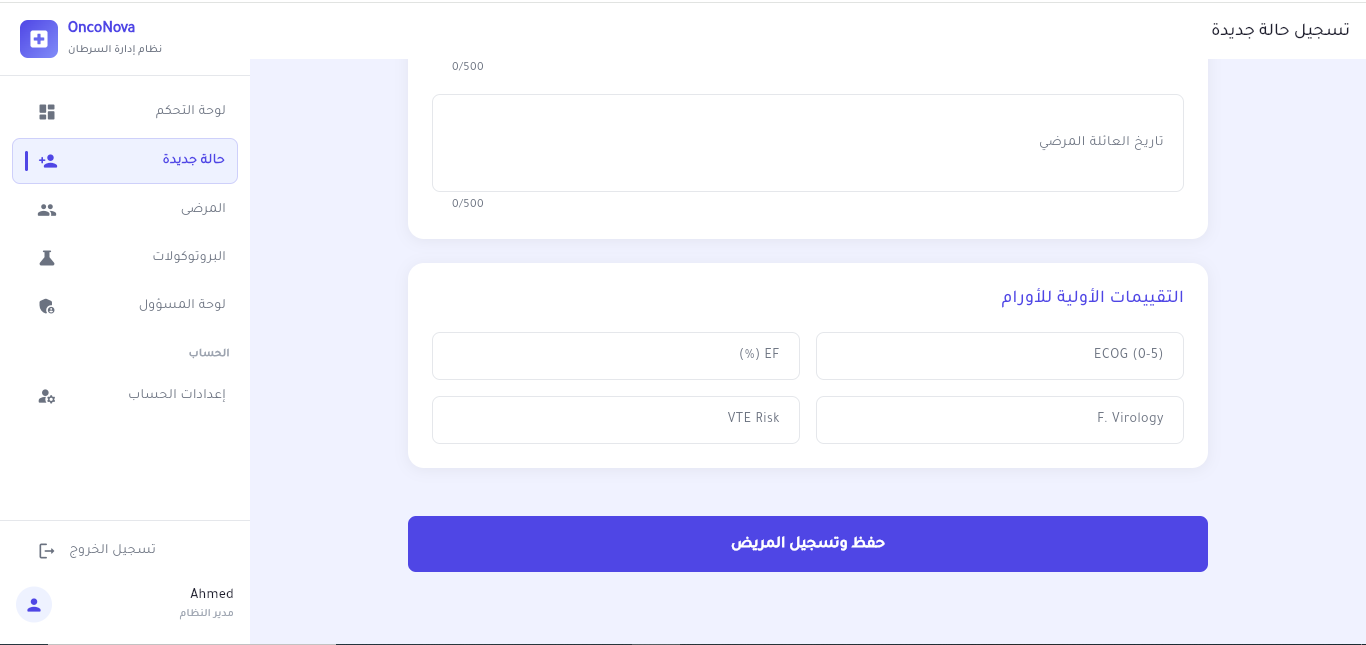
دعم كامل لتقسيم البيانات الطبية والشخصية وربط كارت الـ RFID في المرحلة الأخيرة.
Full support for splitting medical and personal data, linking the RFID card in the final stage.
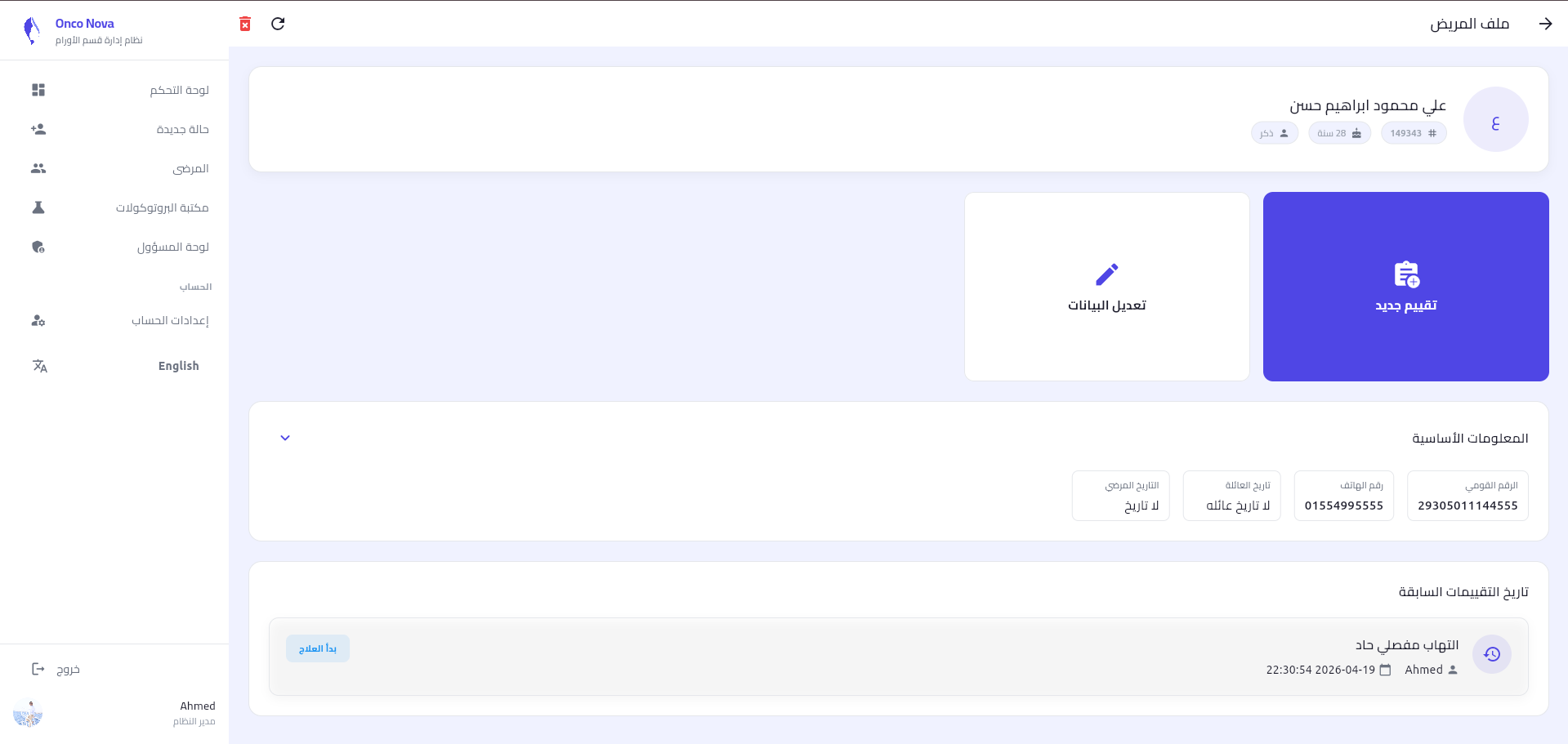
ملف المريض (رؤية الطبيب)
Patient Profile (Doctor Side)
عند مسح كارت المريض، يتم عرض كافة الفحوصات والتدخلات السابقة مع إمكانية البدء بكشف جديد أو استكمال العلاج.
When scanning a patient card, all previous exams and interventions are displayed with the option to start a new assessment or continue treatment.
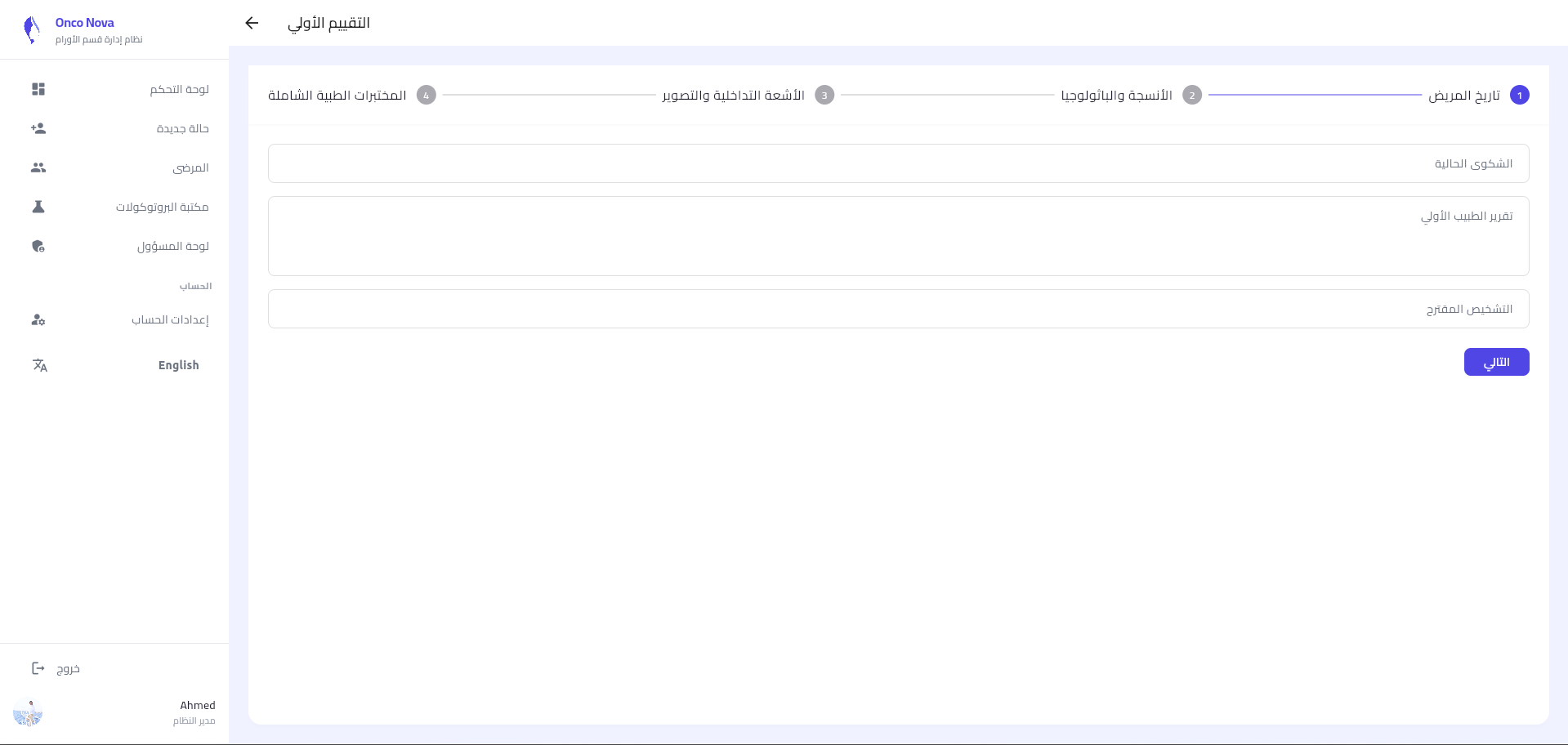
التقييم السريري السريع (Assessment)
Quick Clinical Assessment
واجهة مخصصة لتسجيل العلامات الحيوية والتاريخ المرضي في 4 مراحل منظمة تضمن دقة البيانات وسهولة الوصول إليها.
A dedicated interface for recording vitals and medical history in 4 organized stages ensuring data accuracy and accessibility.
- تاريخ المريضPatient History
- الأنسجة والباثولوجياPathology
- الأشعة التداخليةRadiology
- المختبرات الطبيةLab Tests
4. العلاج و مكتبة البروتوكولات
4. Treatment & Protocols Library
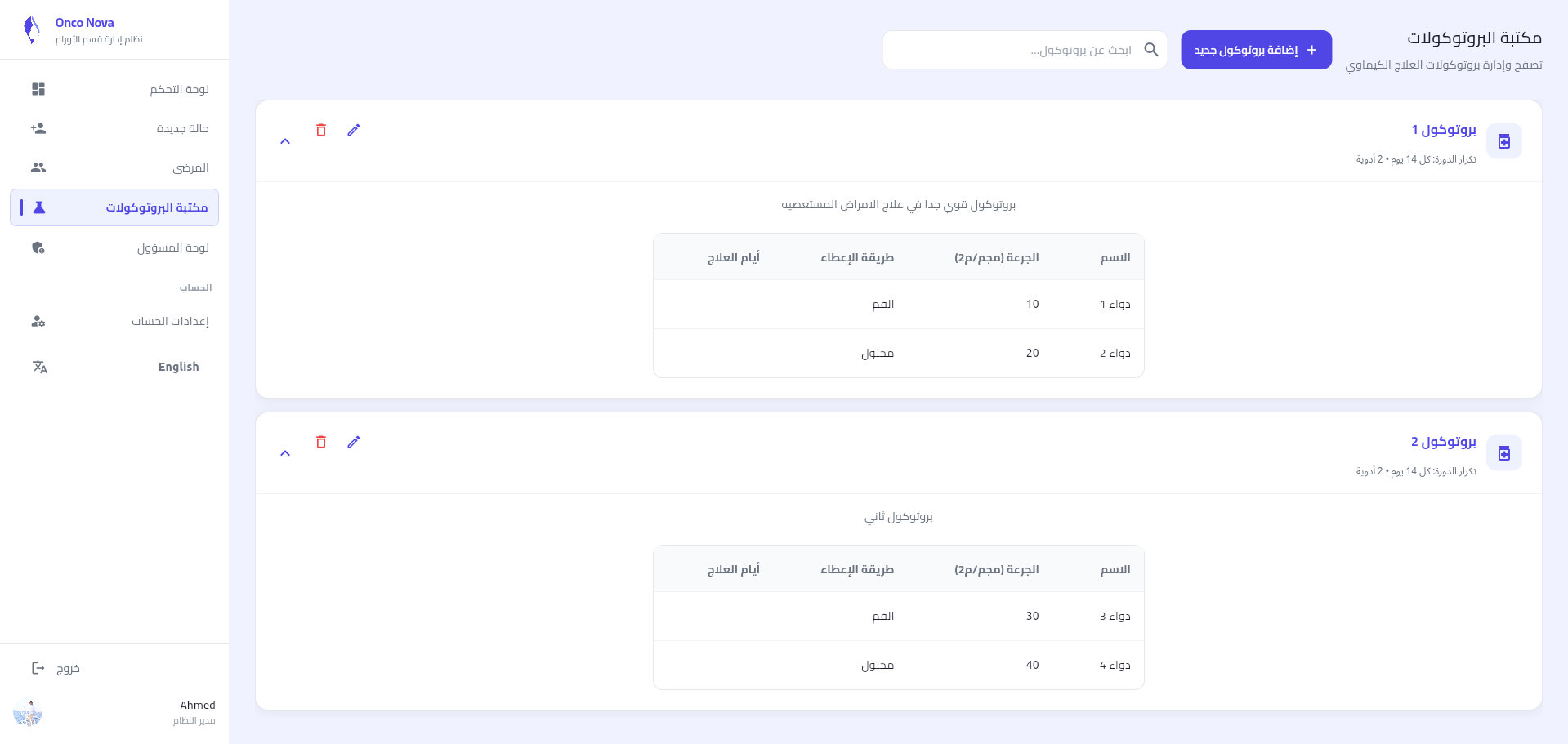
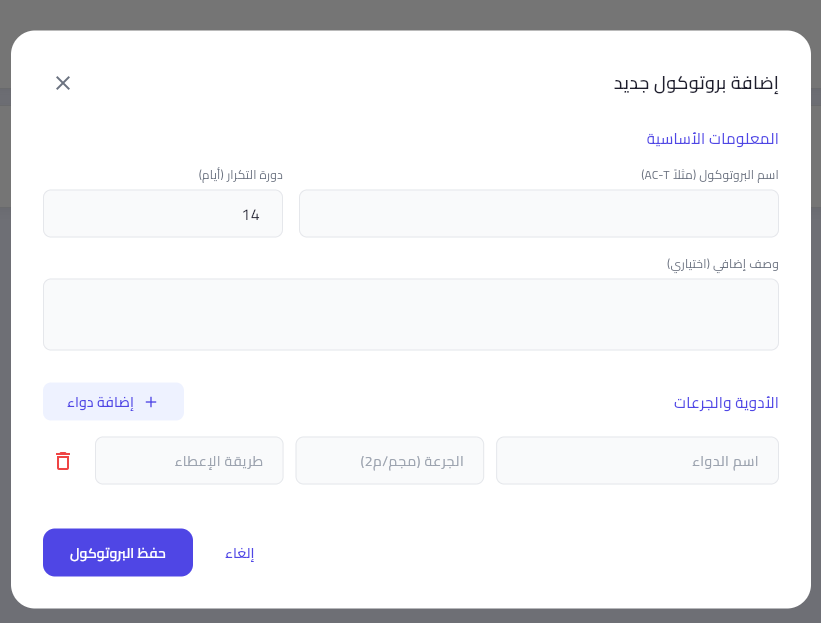
إدارة بروتوكولات الكيماوي
Chemo Protocols Management
نظام ذكي يتيح تسجيل بروتوكولات جديدة و تحديد الجرعات المعيارية لكل دواء. يتم استخدام هذه البيانات لاحقاً في محرك حساب BSA لحساب الجرعة المناسبة لكل مريض.
A smart system that allows registering new protocols and defining standard doses for each drug. This data is later used by the BSA engine.
5. بوابة الإدارة والصلاحيات
5. Admin Portal & Roles
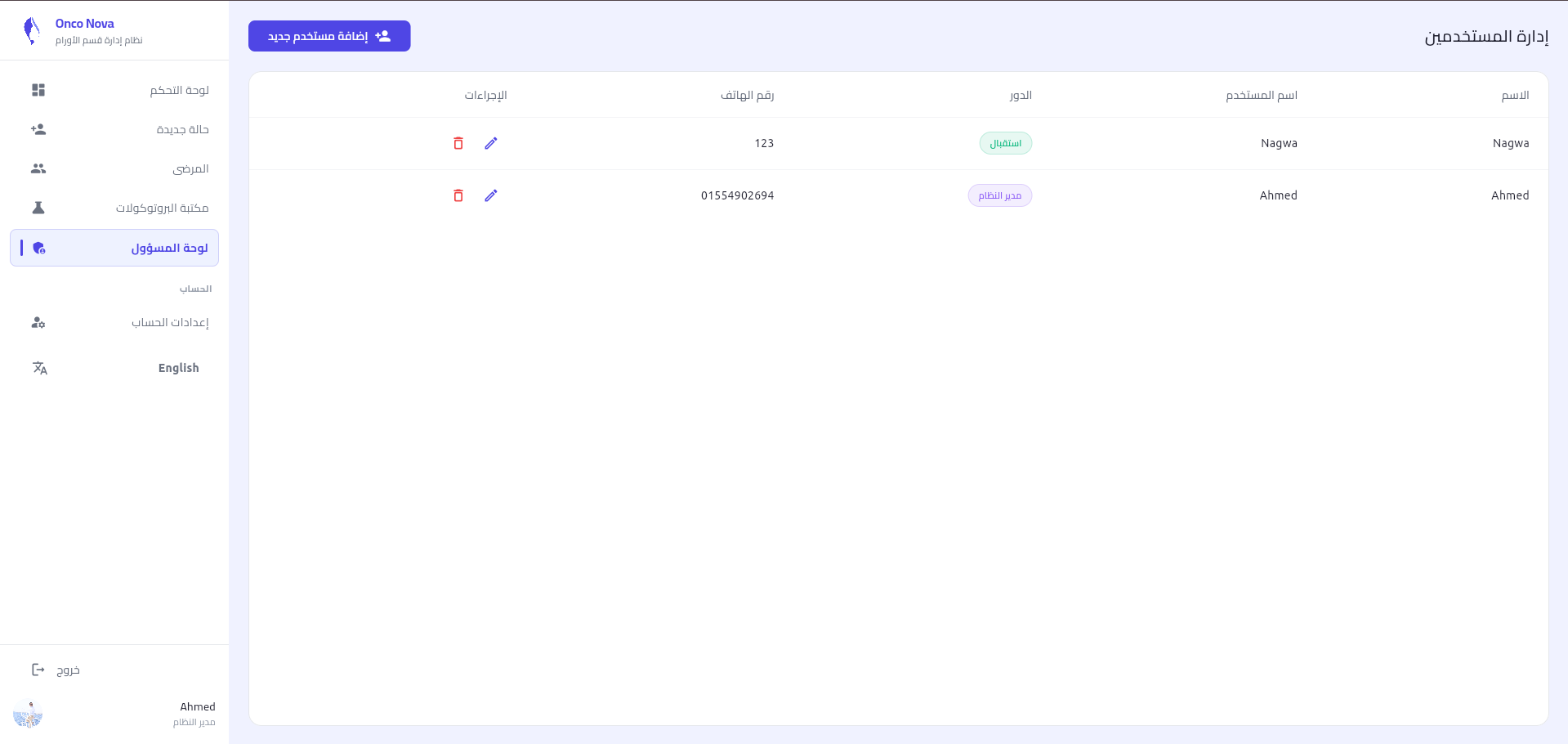
التحكم في الطاقم (Staff Control)
Staff Control
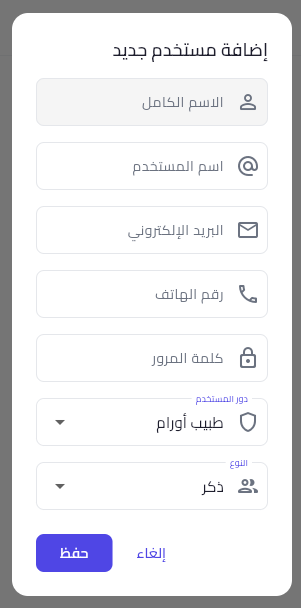
نظام متقدم لإدارة المستخدمين يتيح للمدير إضافة أعضاء الفريق الطبي والإداري، وتعيين الأدوار (Doctor, Admin, Receptionist) بدقة، مع إمكانية التحكم المباشر في حالة كل حساب.
An advanced user management system that allows the admin to add medical and administrative team members, assign roles precisely, and directly control account status.
6. بوابة المريض (Patient Portal)
6. Patient Portal
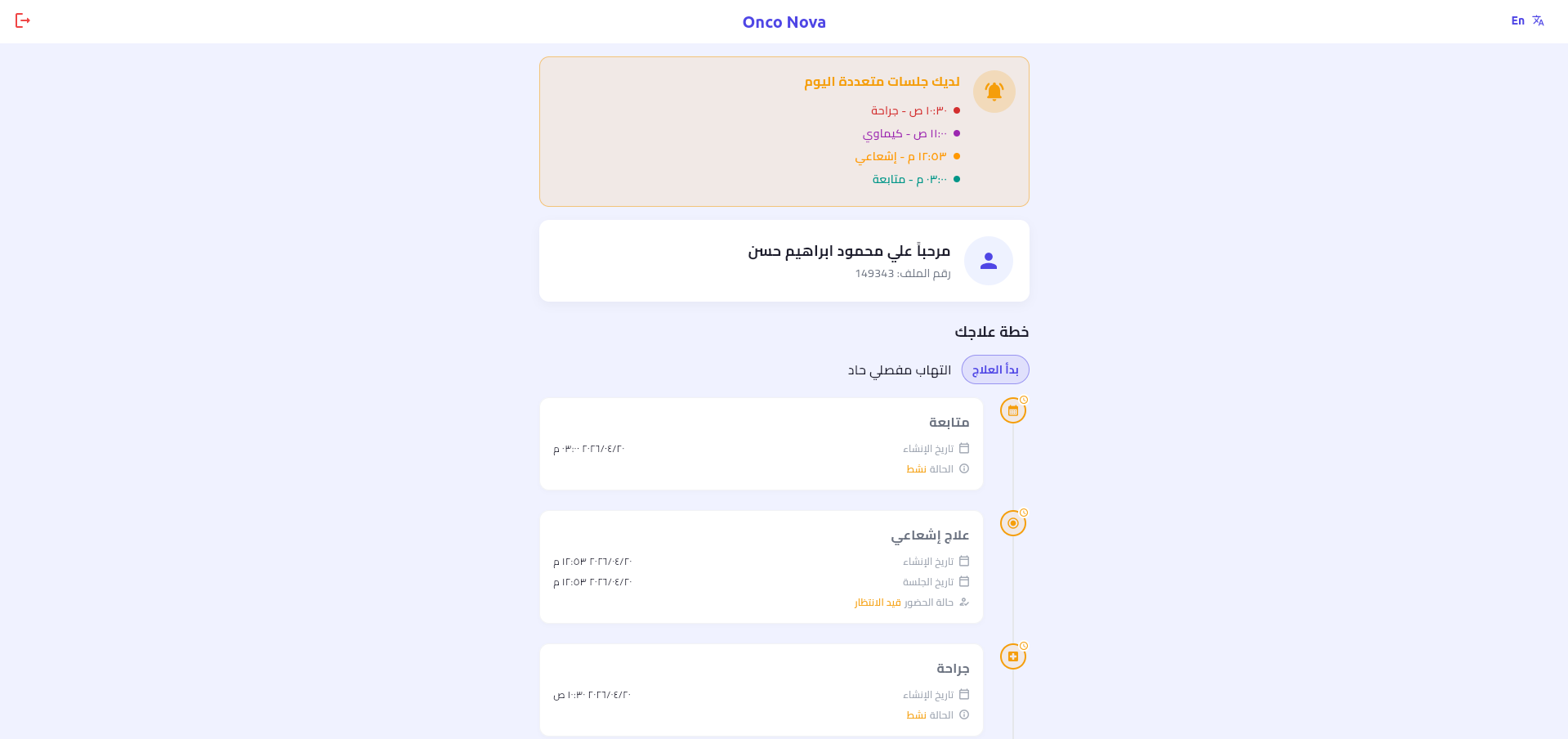
بوابة مخصصة للمرضى يمكن الوصول إليها عبر الويب أو الجوال، تتيح لهم متابعة جدول الجلسات القادم، مراجعة التاريخ العلاجي، واستلام تنبيهات فورية.
A dedicated portal for patients accessible via web or mobile, allowing them to follow upcoming session schedules, review treatment history, and receive instant alerts.
7. الإعدادات والملف الشخصي
7. Profile & Settings
تخصيص البيانات
Data Customization
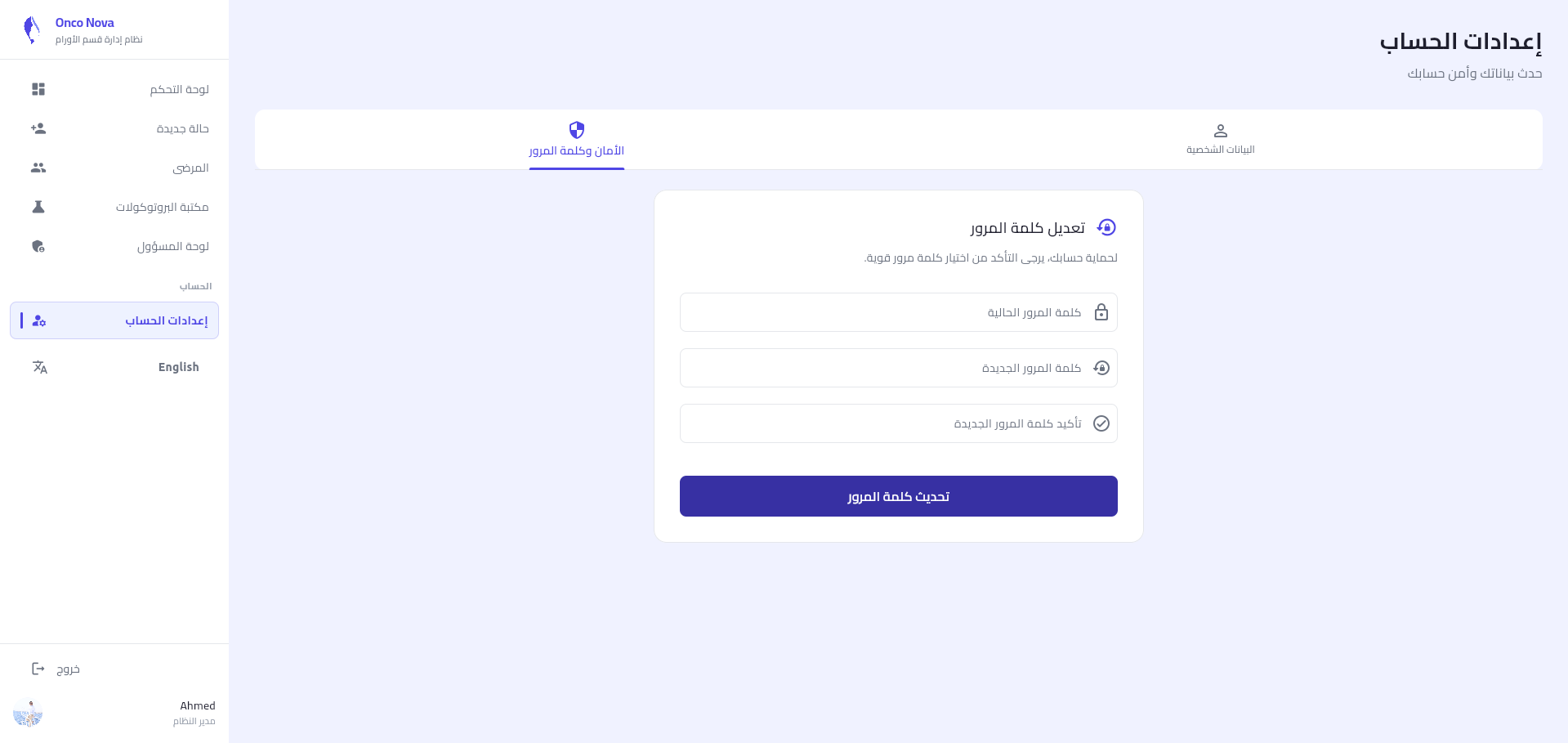
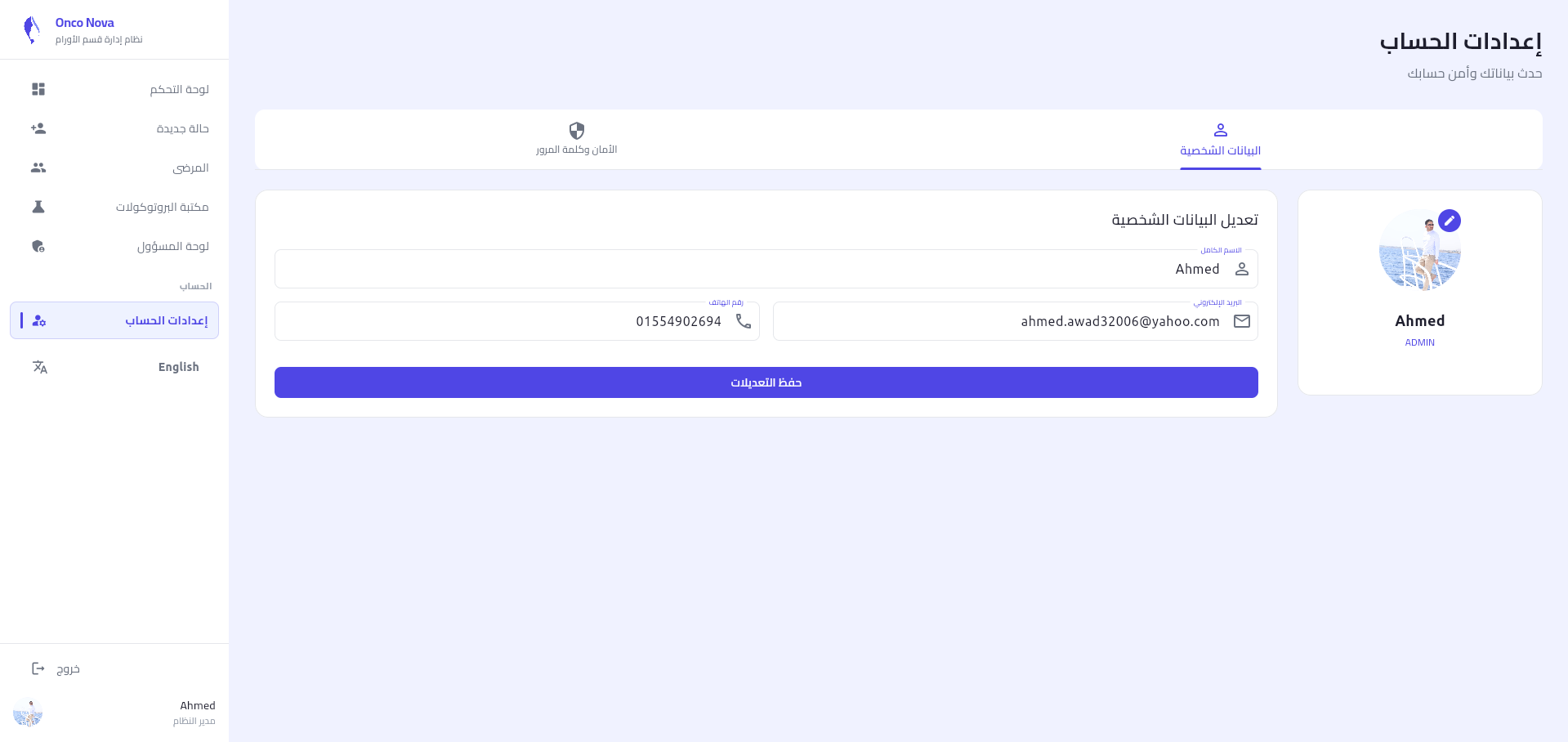
يمكن لكل مستخدم (طبيب أو مدير) تعديل بياناته الشخصية، تغيير صورة الملف، وتحديث كلمة المرور لضمان أمان حسابه.
Each user (Doctor or Admin) can edit their personal data, change profile picture, and update password to ensure account security.